AMRAP
As Many Rounds As Possible
Counts down to zero with an on-screen round/rep tally, halfway chime, and a final-10s count.
WOD & Interval Timer · iPhone & Apple Watch
Squall is a functional-fitness timer for iPhone and Apple Watch that's instantly readable, never lies to you, and stays out of your way. Snap the whiteboard or read it into the app to build your workout, run the whole room off one clock, and keep heart rate and calories in Apple Health. The calm before the storm.
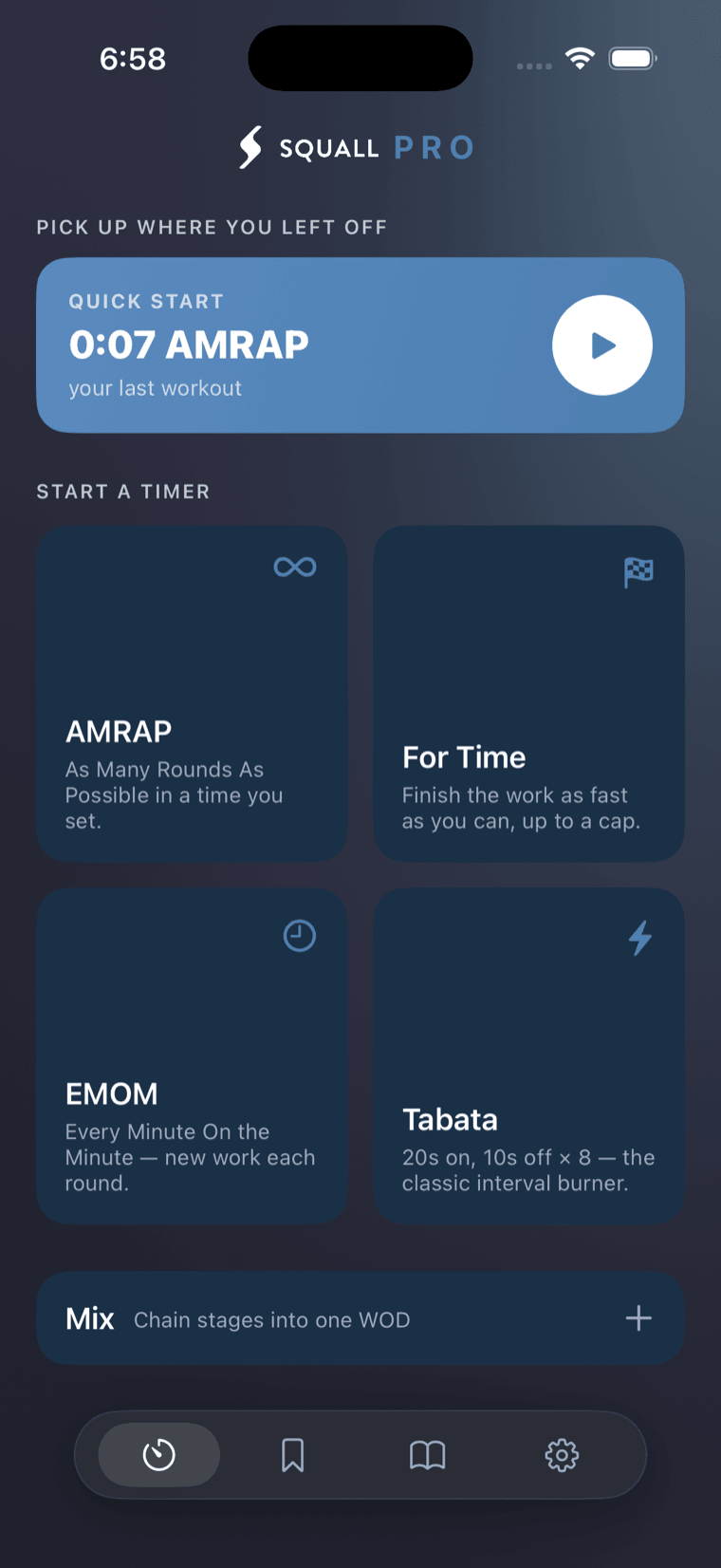
Squall is delivered only through the App Store — every release is reviewed and code-signed by Apple, so the build you install is verified, untampered, and the right one for your device.
There's no sign-up and nothing to hack — your workouts live on your device and, if you choose, in your own private iCloud.
A true SwiftUI app made for iOS 18 and watchOS, so it stays fast, battery-light, and fully at home on your iPhone and Apple Watch.
01 — The Promise
The leading timers win on features and lose on trust — cues firing while paused, hijacked music, dead batteries mid-WOD. Squall's wedge is the opposite: flawless on the three things that matter when you're out of breath.
02 — See It Run
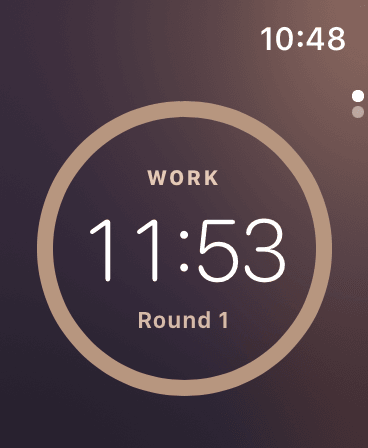
Warm on work, cool on rest — the whole color world floods on every phase change, so a glance tells you exactly where you are.
The depleting ring is driven by the workout clock, not a sleep timer, so it stays exactly true to the second.
A clear NEXT UP preview between stages means you're never caught off guard mid-workout.
03 — Every Timer You Need
As Many Rounds As Possible
Counts down to zero with an on-screen round/rep tally, halfway chime, and a final-10s count.
Stopwatch with an optional cap
Counts up until you're done, captures splits, and auto-stops at a time cap if you set one.
Every Minute On the Minute
Repeating intervals with a strong top-of-minute cue. Supports alternating A/B stations with labels.
Work / rest intervals
Classic 20s/10s × 8 — or fully editable work, rest, rounds, and sets with distinct phase sounds.
Chain stages into one WOD
String countdown, AMRAP, rest, EMOM, and Tabata stages into one continuous workout with auto-advance and a next-up preview.
Build it once, keep it forever
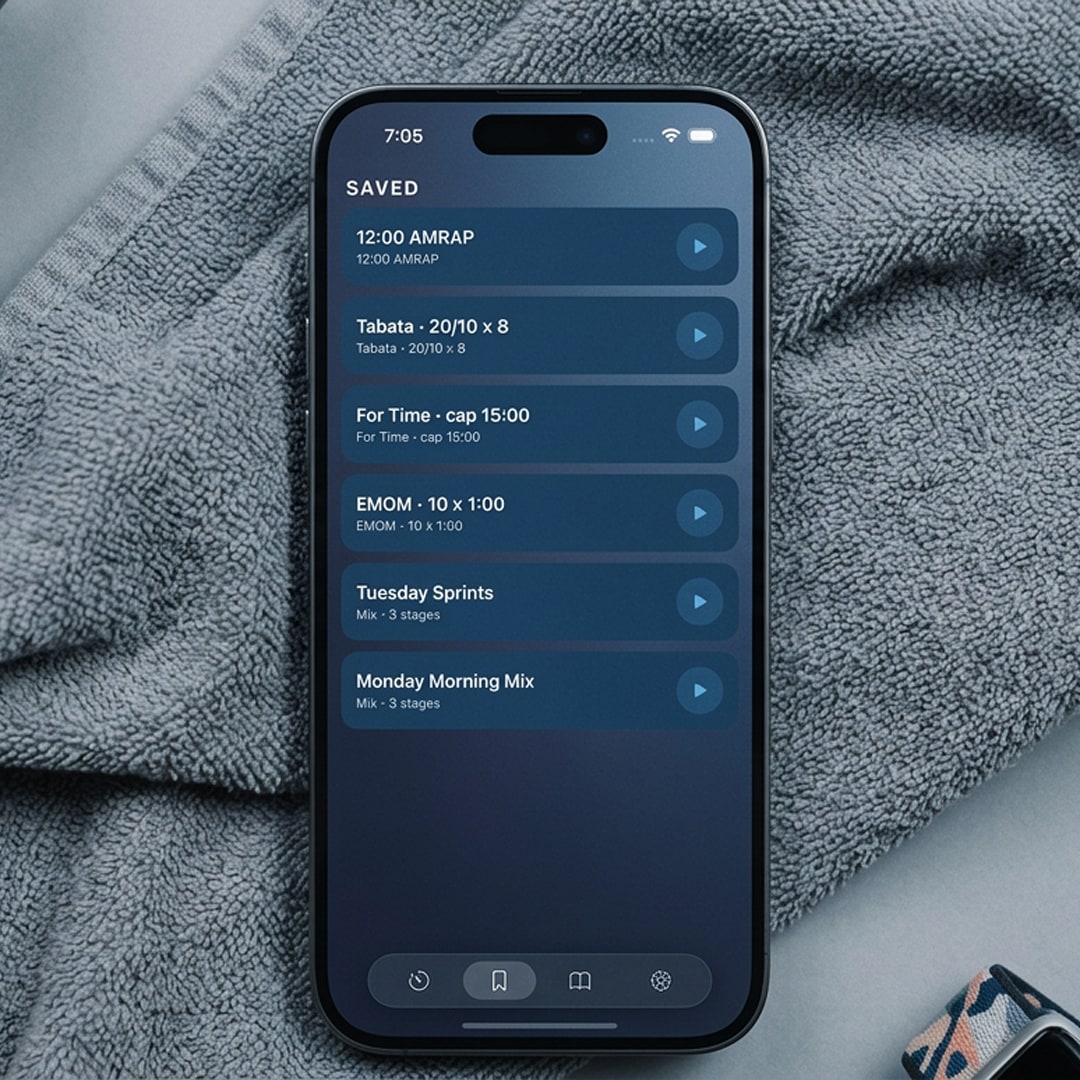
Dial in any timer — or a full Mix — name it, and save it to your library so your go-to WODs start in a single tap.
04 — Scan or Speak
FreeNobody wants to build a timer rep by rep while the class is warming up. Snap the board, say it, or type it — Squall works out what you meant and sets the clock.
Point your camera at the board and Squall reads the workout straight off it — rounds, reps, movements, and the cap.
Read the workout out loud the way your coach called it — “twelve-minute AMRAP, fifteen air squats, ten swings, five pull ups” — and it's set.
Prefer your thumbs? Type it in shorthand and the same parser builds the timer. Then save it to your library so it's one tap next time.
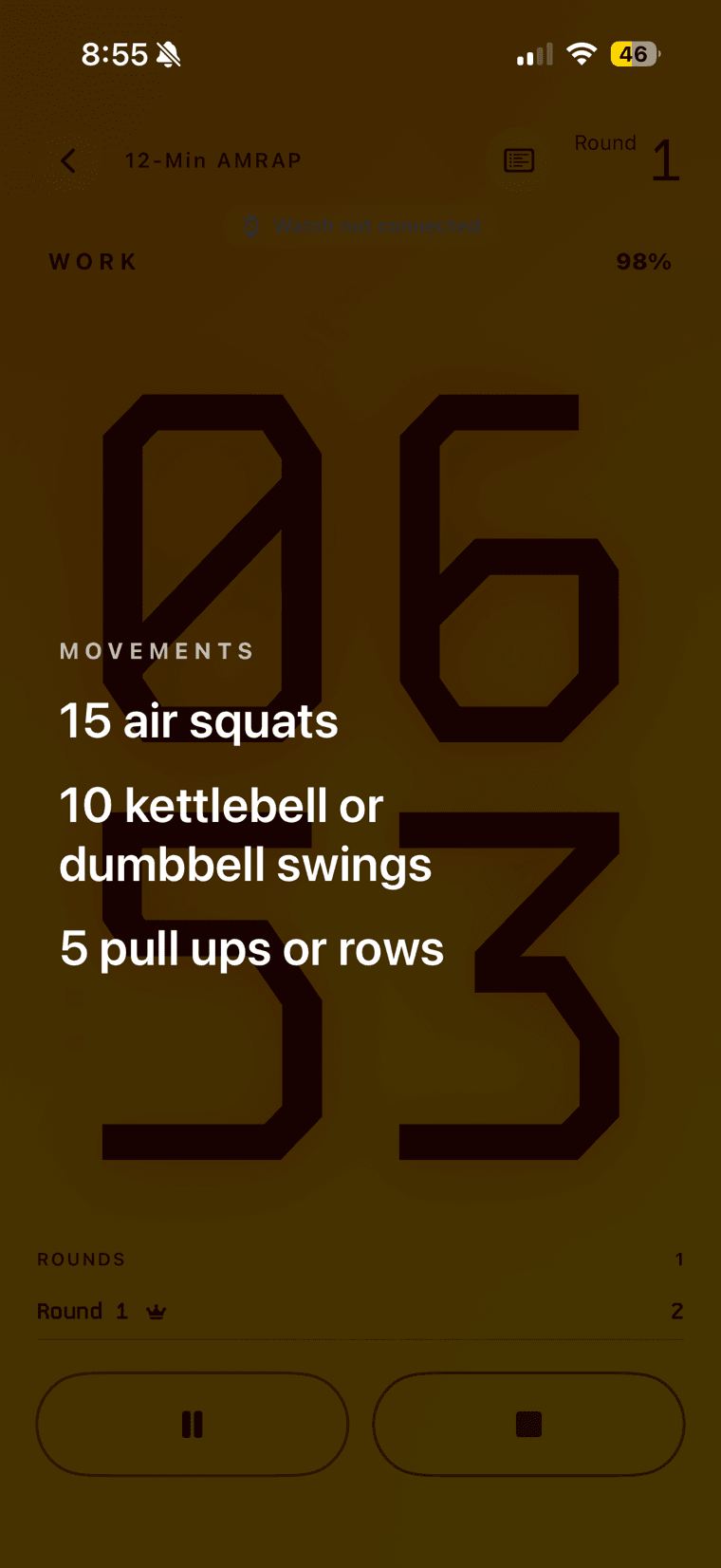
Your rep scheme sits right on the running clock, so you never have to squint back at the board between rounds to remember what's next.
05 — Train Together
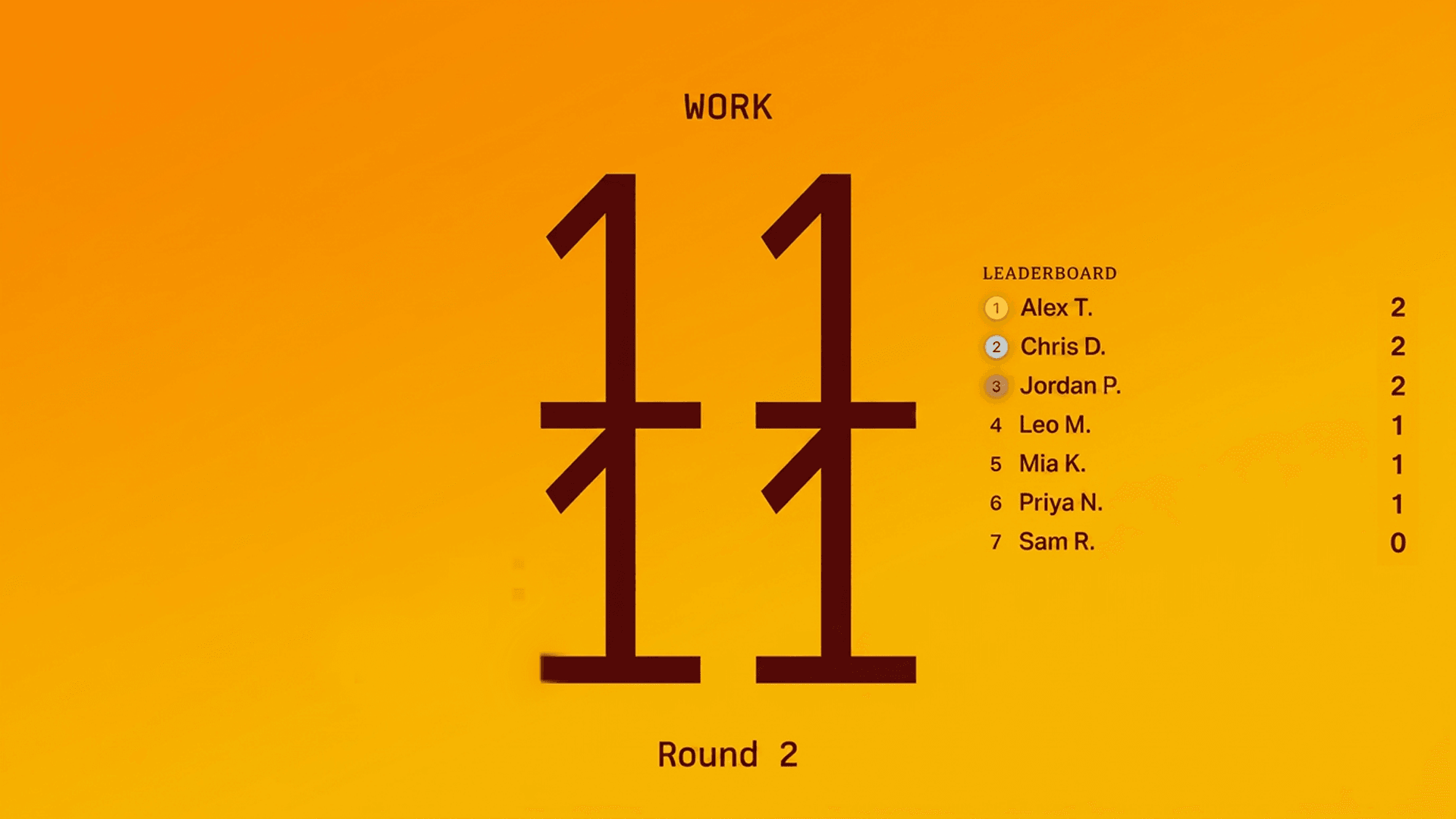
Pro to hostStart a class, call out the code, and every athlete's phone locks to your timer. Scores land on a live leaderboard — up on the gym TV, on their own screens, or both.
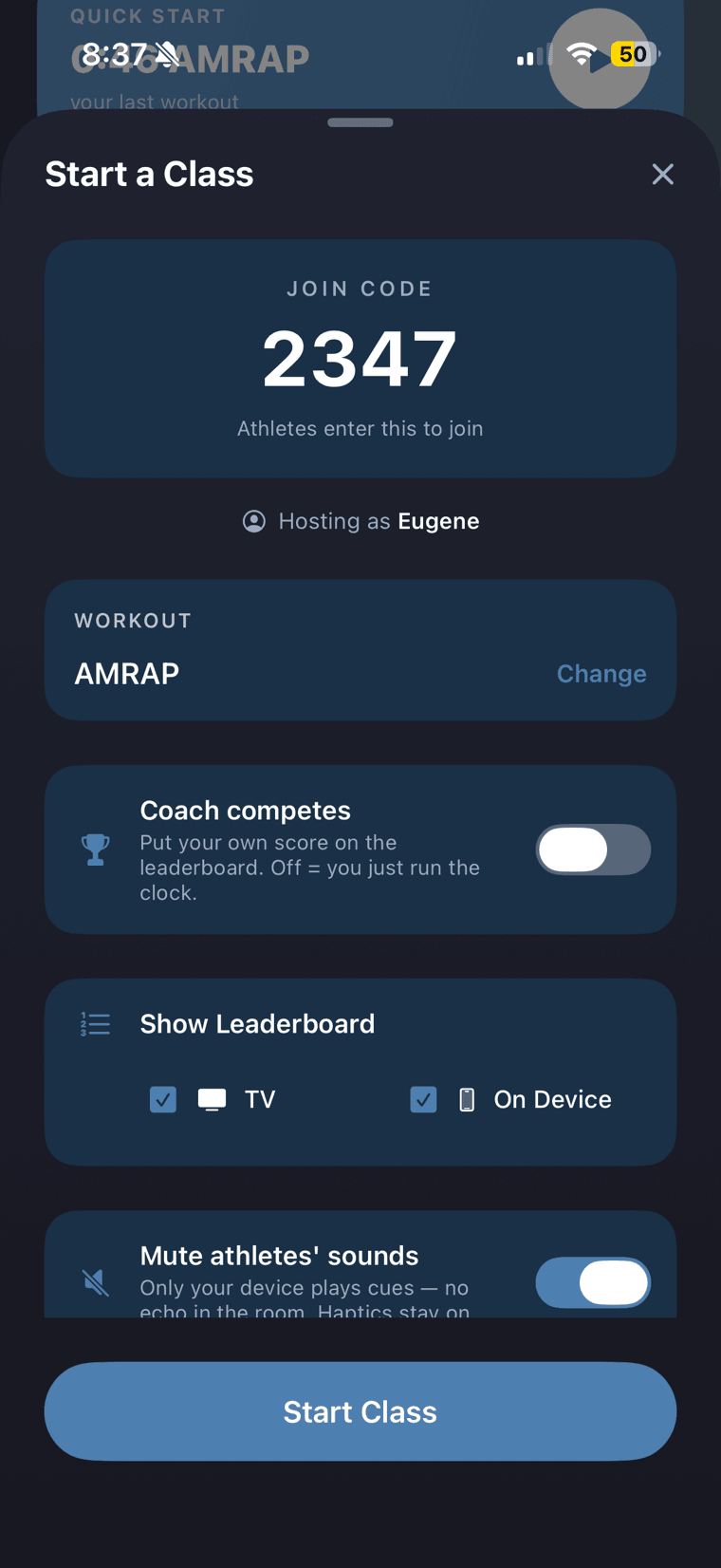
Read the code out to the room. Athletes tap Train Together, type it in, and they're on your clock — no accounts, no app-store detour, no sign-up.
Every phone runs off the host's clock, so the class counts down, rests, and hits TIME as one — no drift between fifteen devices.
Rounds and reps update as athletes tap through. Put it on the TV, leave it on their phones, or do both.
Training alongside the class? Put your own score on the board. Coaching from the floor? Leave it off and just run the clock.
Mute athletes' sounds so only your device plays cues — fifteen phones beeping a half-second apart is nobody's idea of a countdown. Haptics stay on, so everyone still feels the count.
Anyone can join a class on the free tier. Hosting one — the code, the leaderboard, the big screen — is part of Squall Pro.
AirPlay any Squall workout to a smart TV and it lays itself out for the room — an across-the-gym clock with the phase color world behind it, not a phone screen stretched to fit. That works on a solo session, and it's free for everyone. The live leaderboard beside it is the part that comes with hosting a class.
06 — Apple Watch
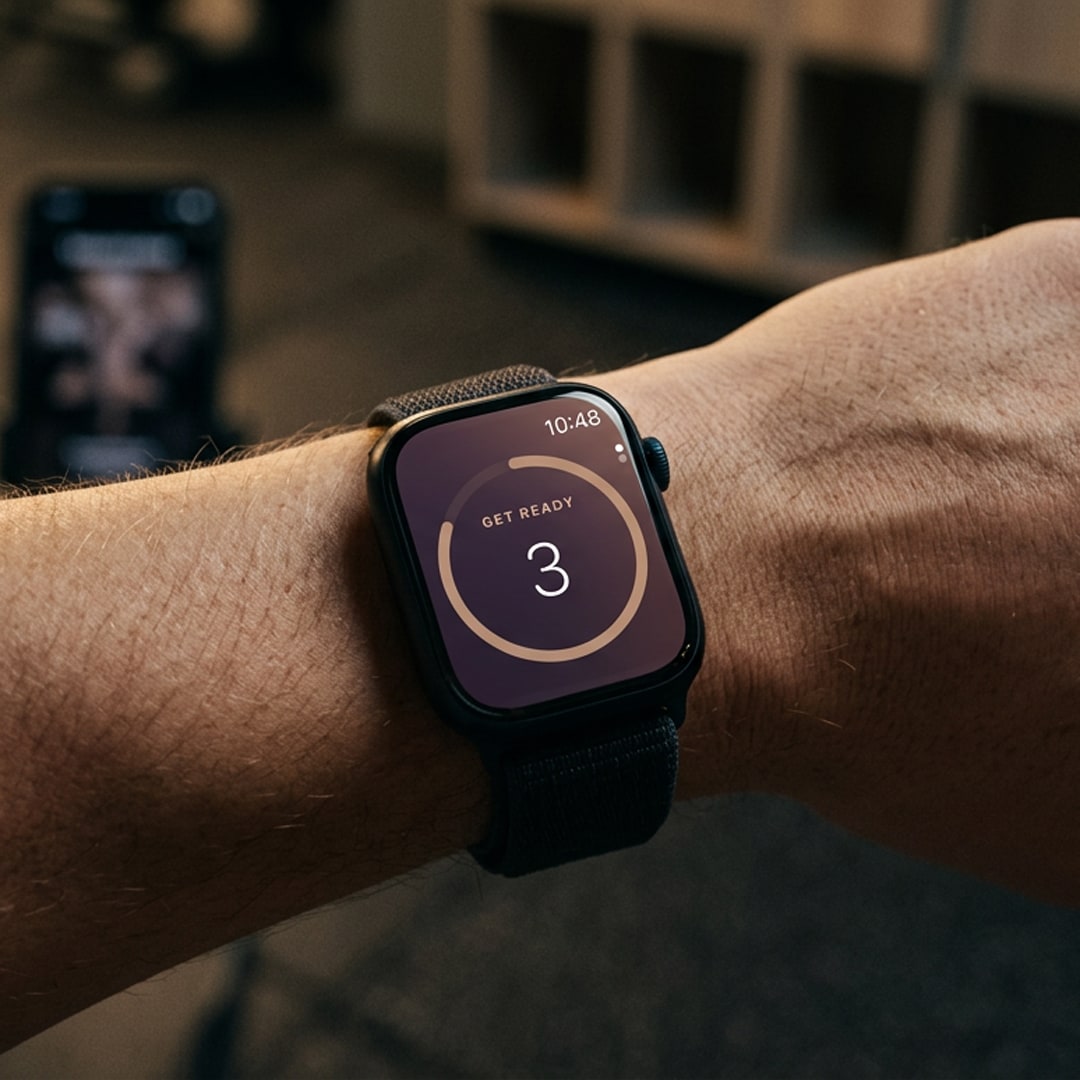
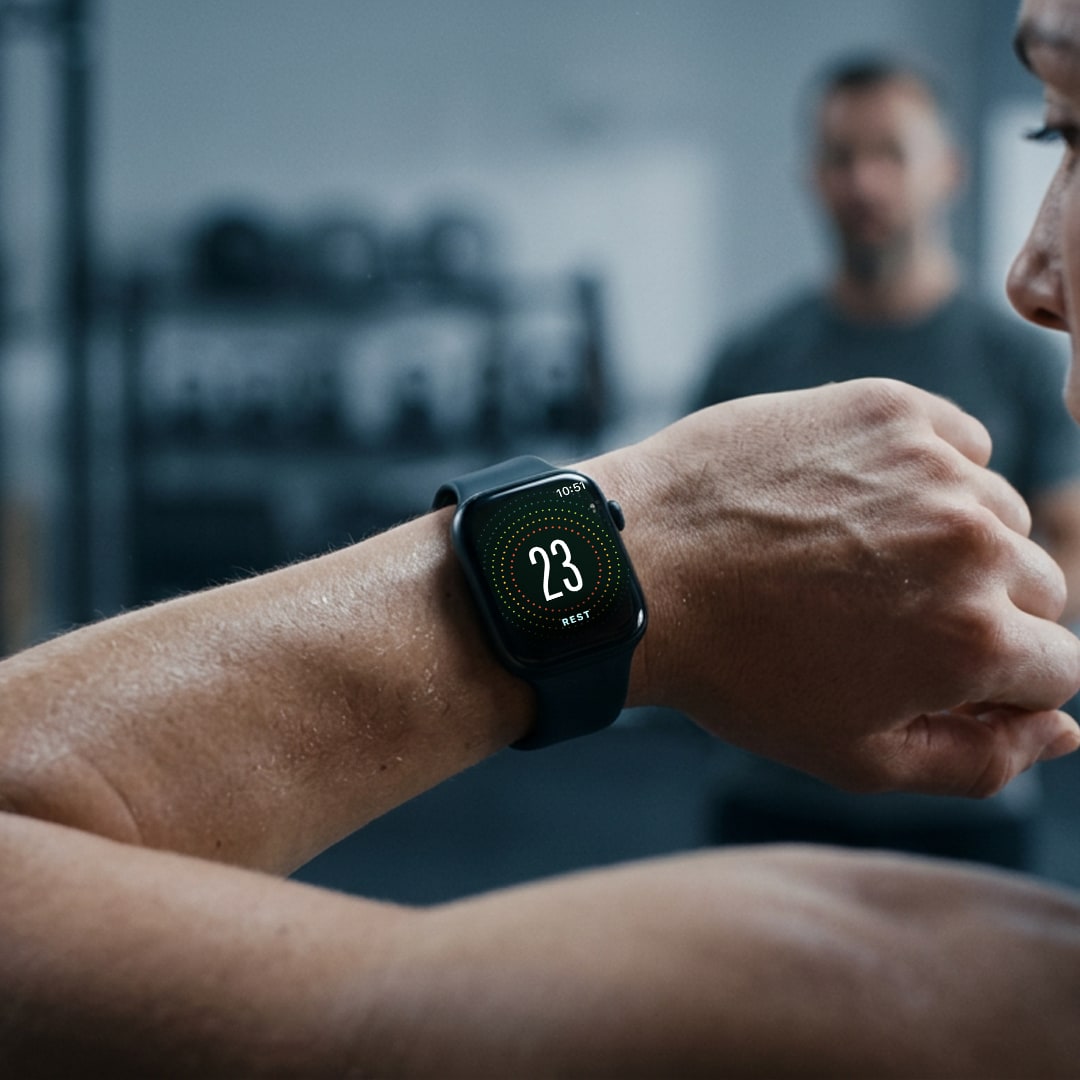
ProThe standalone Apple Watch app is part of Squall Pro — the same engine, cues, and coach voices, on your wrist.
Quick-start any timer and tune it with the Digital Crown. Leave your phone in the cubby.
Haptics plus sound — Beeps, Voice, or Both — including the recorded coach voices.
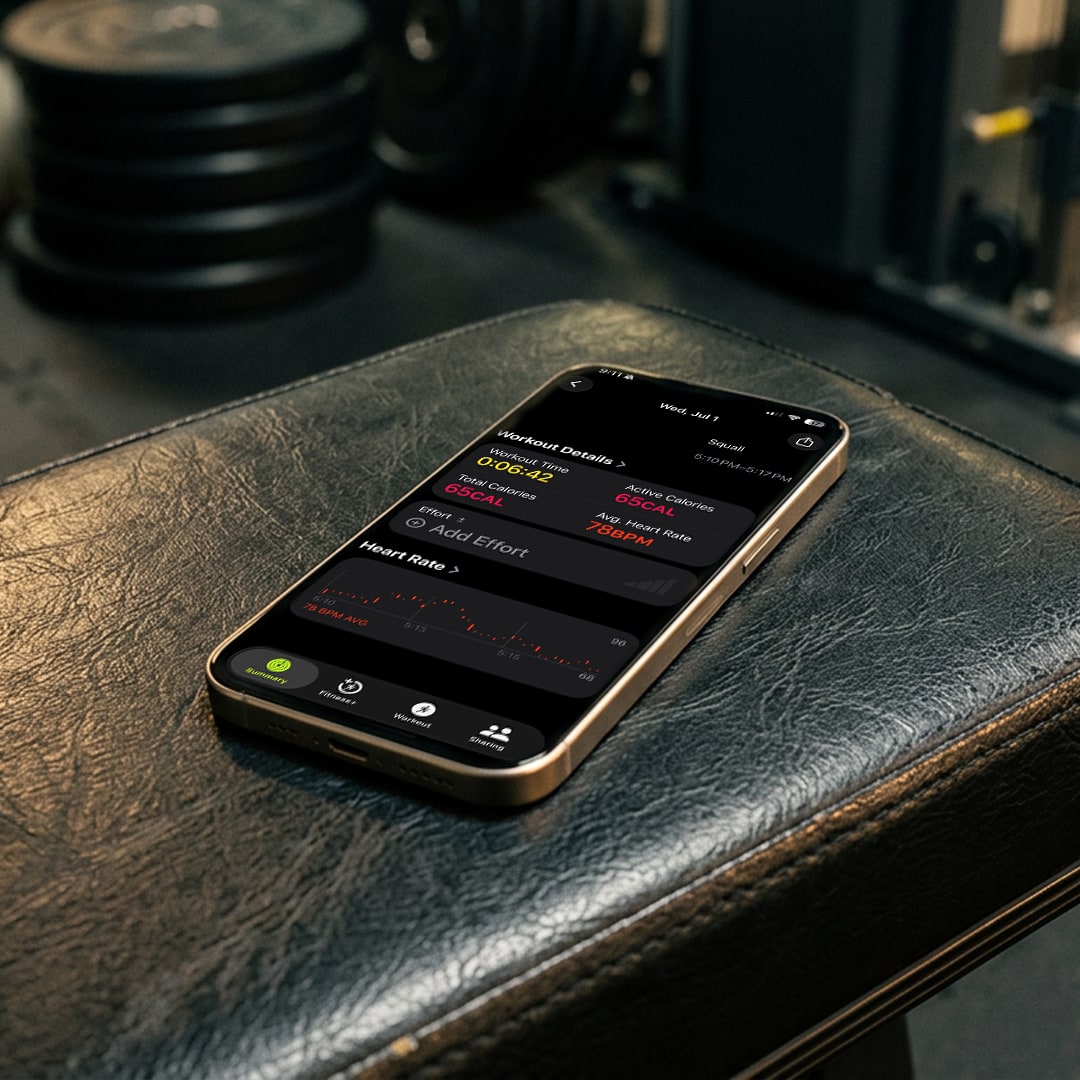
A live session records real heart rate and active energy to Apple Health.
Watch workouts land in your iPhone history automatically, plus a launch complication.
06 — Apple Watch
ProQuick-start any timer and tune it with the Digital Crown. Leave your phone in the cubby.
Haptics plus sound — Beeps, Voice, or Both — including the recorded coach voices.
A live session records real heart rate and active energy to Apple Health.
Watch workouts land in your iPhone history automatically, plus a launch complication.
06 — Apple Watch
ProThe standalone Apple Watch app is part of Squall Pro — the same engine, cues, and coach voices, on your wrist.
Quick-start any timer and tune it with the Digital Crown. Leave your phone in the cubby.
Haptics plus sound — Beeps, Voice, or Both — including the recorded coach voices.
A live session records real heart rate and active energy to Apple Health.
Watch workouts land in your iPhone history automatically, plus a launch complication.
07 — Apple Health
Squall writes to Apple Health, so every session shows up alongside the rest of your activity — with real heart rate and calories when you wear your Watch.
Save each session to Apple Health so it contributes to your daily activity — no Watch required, no Pro required.
Train with an Apple Watch and Squall records measured min / avg / max heart rate and active energy, on your results and in your log.
No Watch? Squall gives an activity-based calorie estimate — add your weight in Settings to make it more accurate.
Turn it on during onboarding or from a dedicated Apple Health page in Settings.
08 — Progress
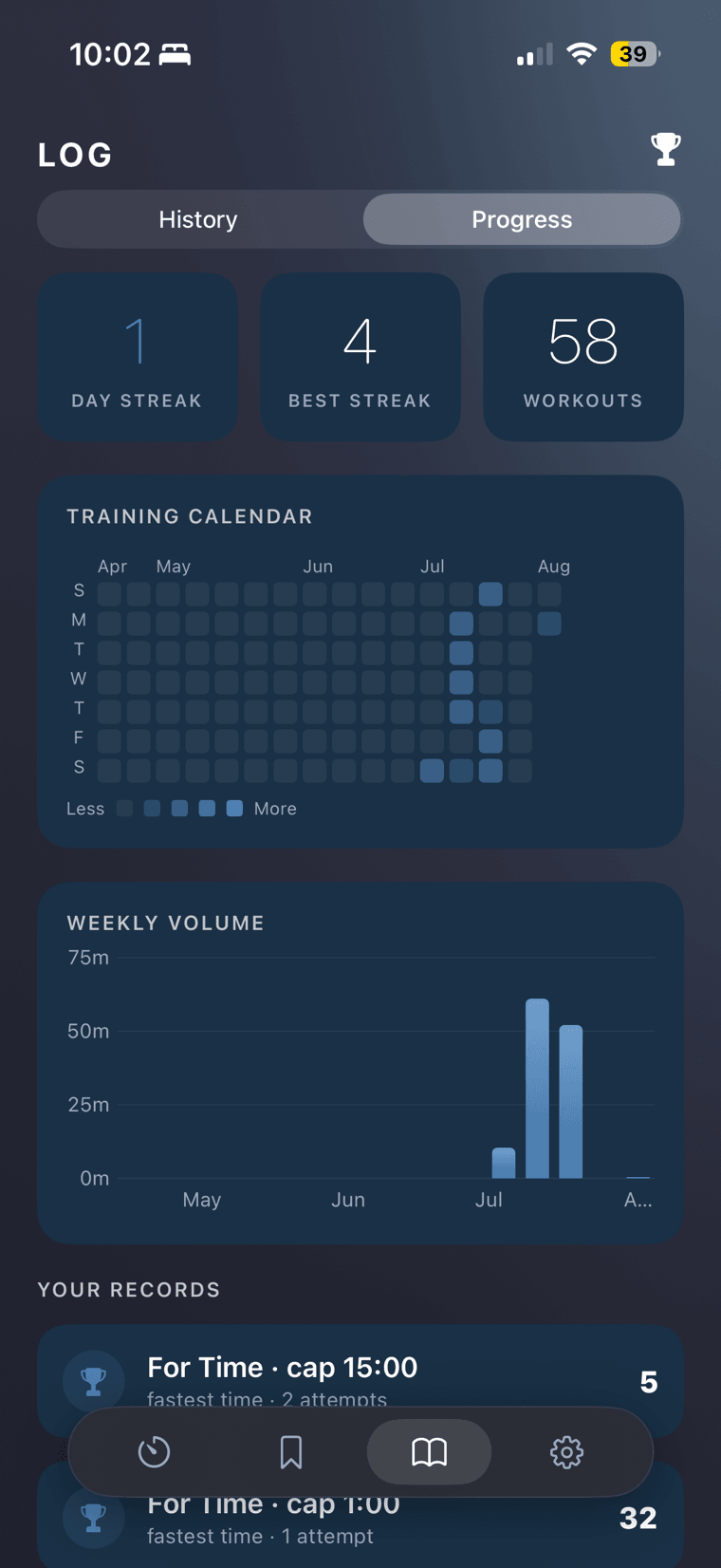
FreeEvery workout you finish lands in your log. The Progress tab turns all of it into something you can actually read — the months you showed up, the weeks you went hard, and your best result on every workout you've come back to.
Your current streak, your best one ever, and every session you've logged — sitting at the top of the tab, not buried three taps deep.
Every day you trained, shaded by how hard. Months of consistency read in a single glance — and the gaps read just as honestly.
The minutes you actually put in, week over week, so a heavy block and a light one are impossible to confuse after the fact.
Repeat a workout and Squall remembers. Each one keeps your best result with the number of attempts beside it, so progress is a fact rather than a feeling.
09 — Clock Faces
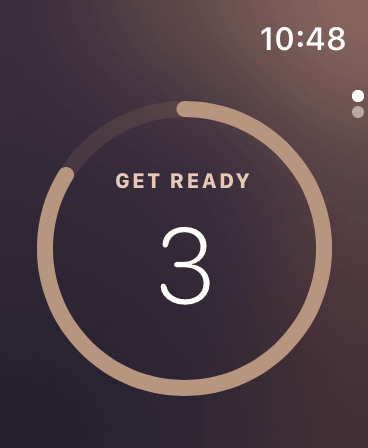
Every face floods the screen with a phase “color world” — warm on work, cool on rest — on iPhone and Apple Watch alike. Six to choose from, and counting.
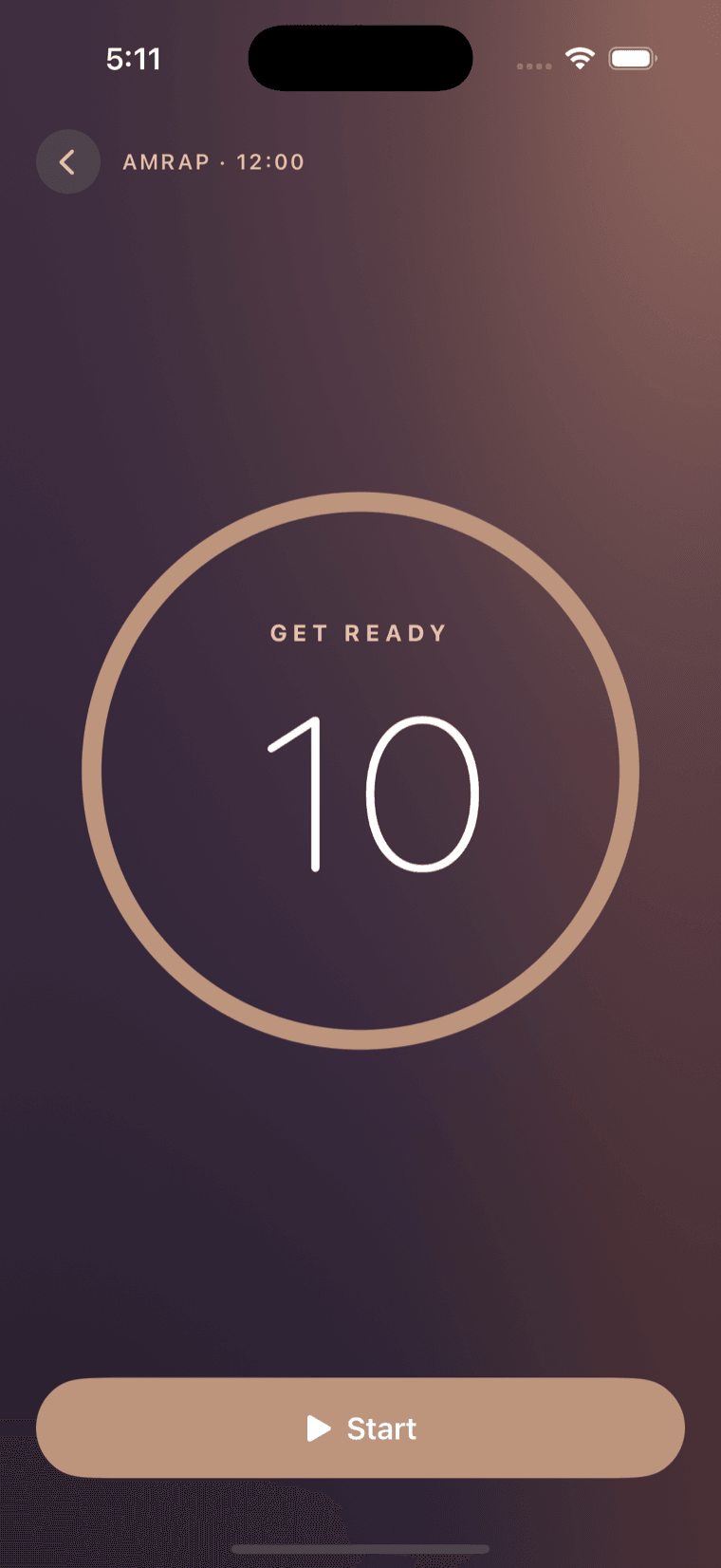
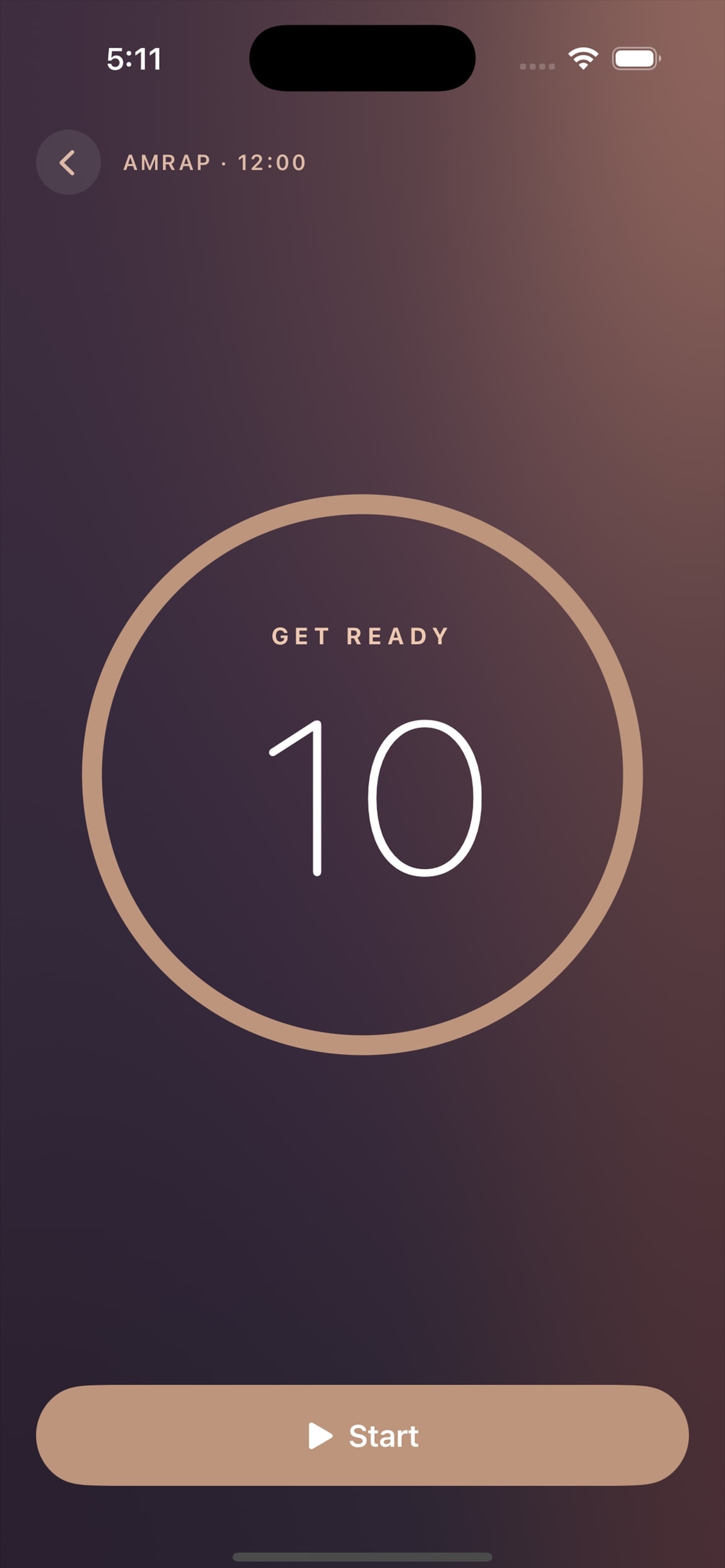
A calm, quietly emptying ring — nothing to pull your focus.
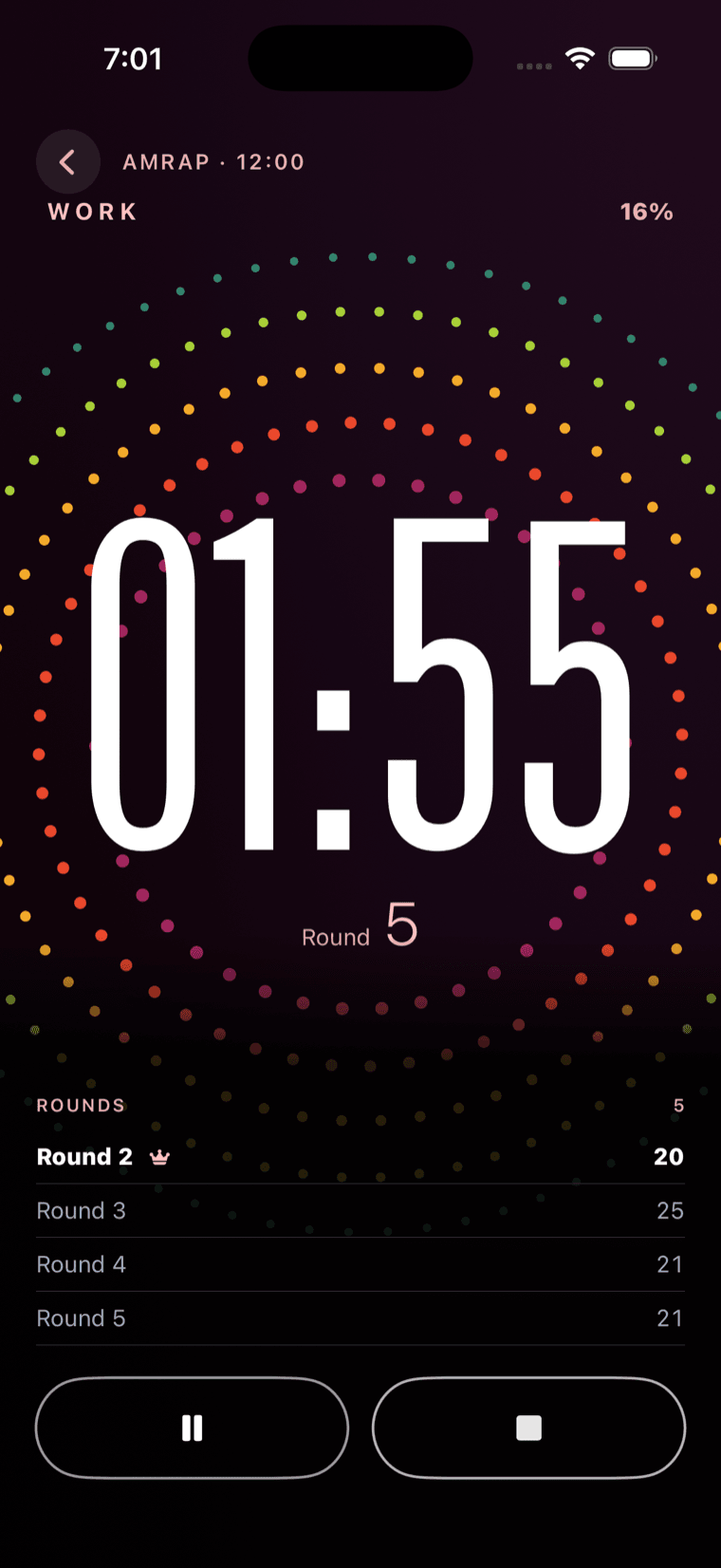
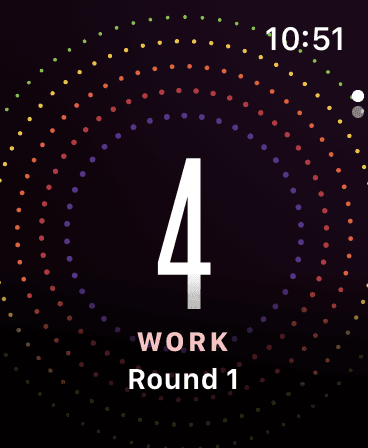
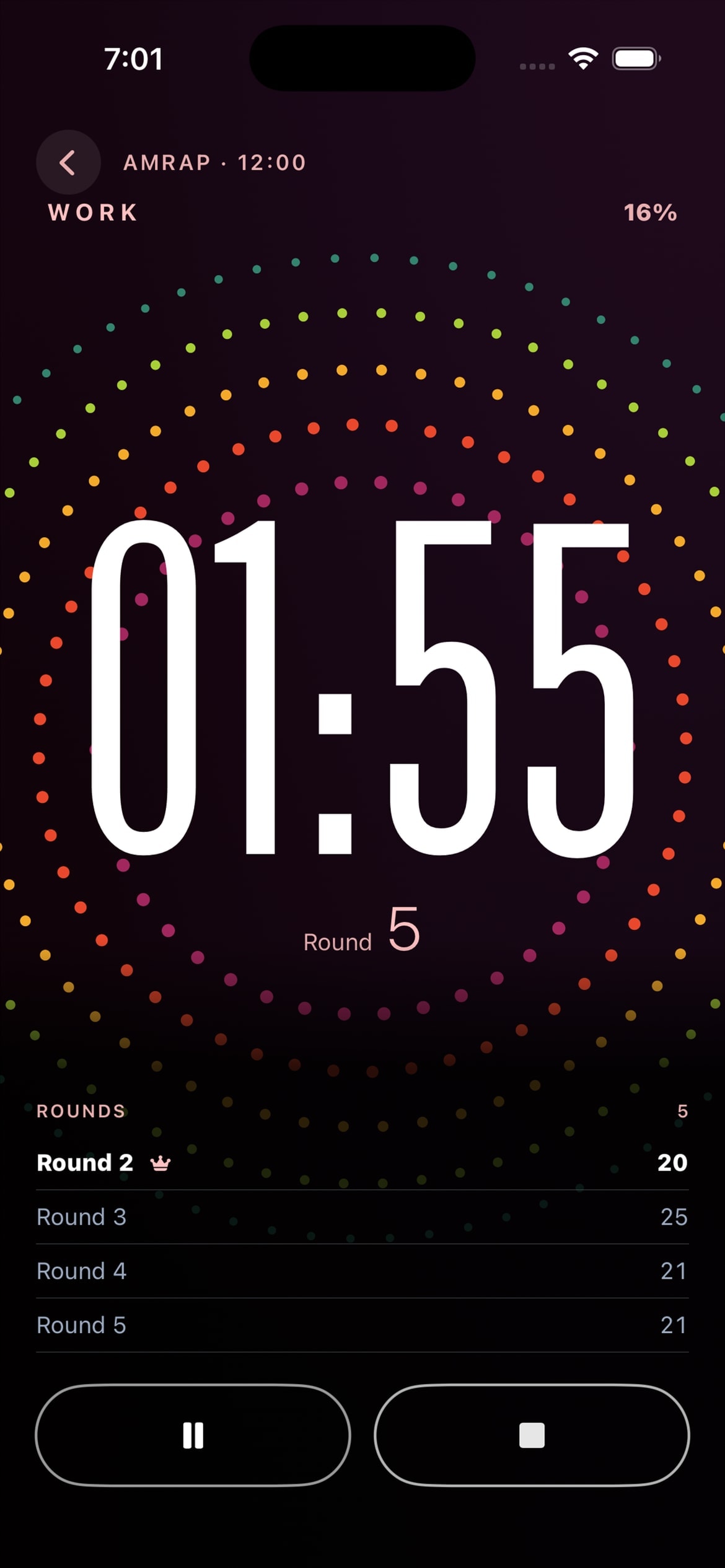
A vivid dot field that blooms with each round.
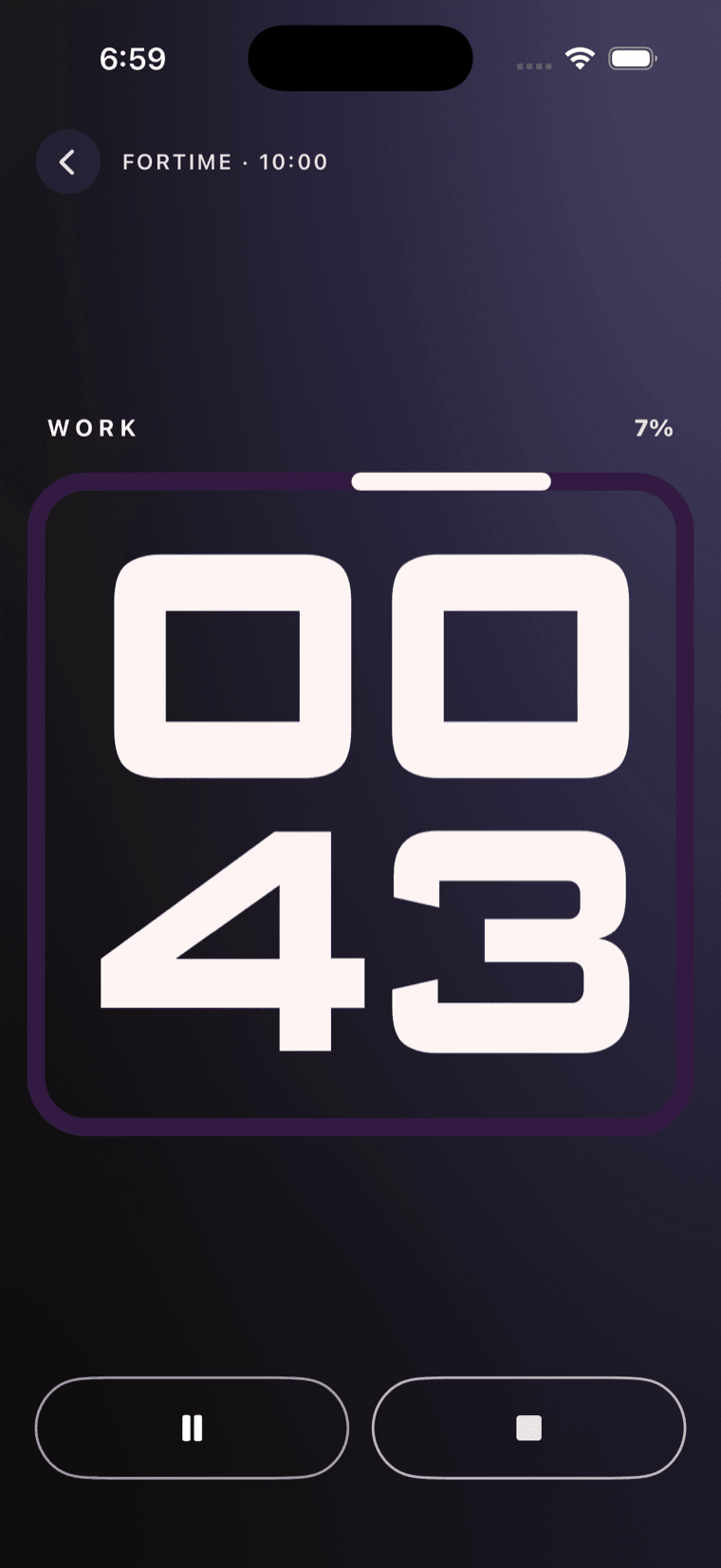
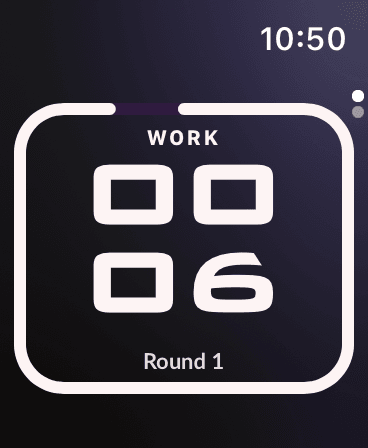
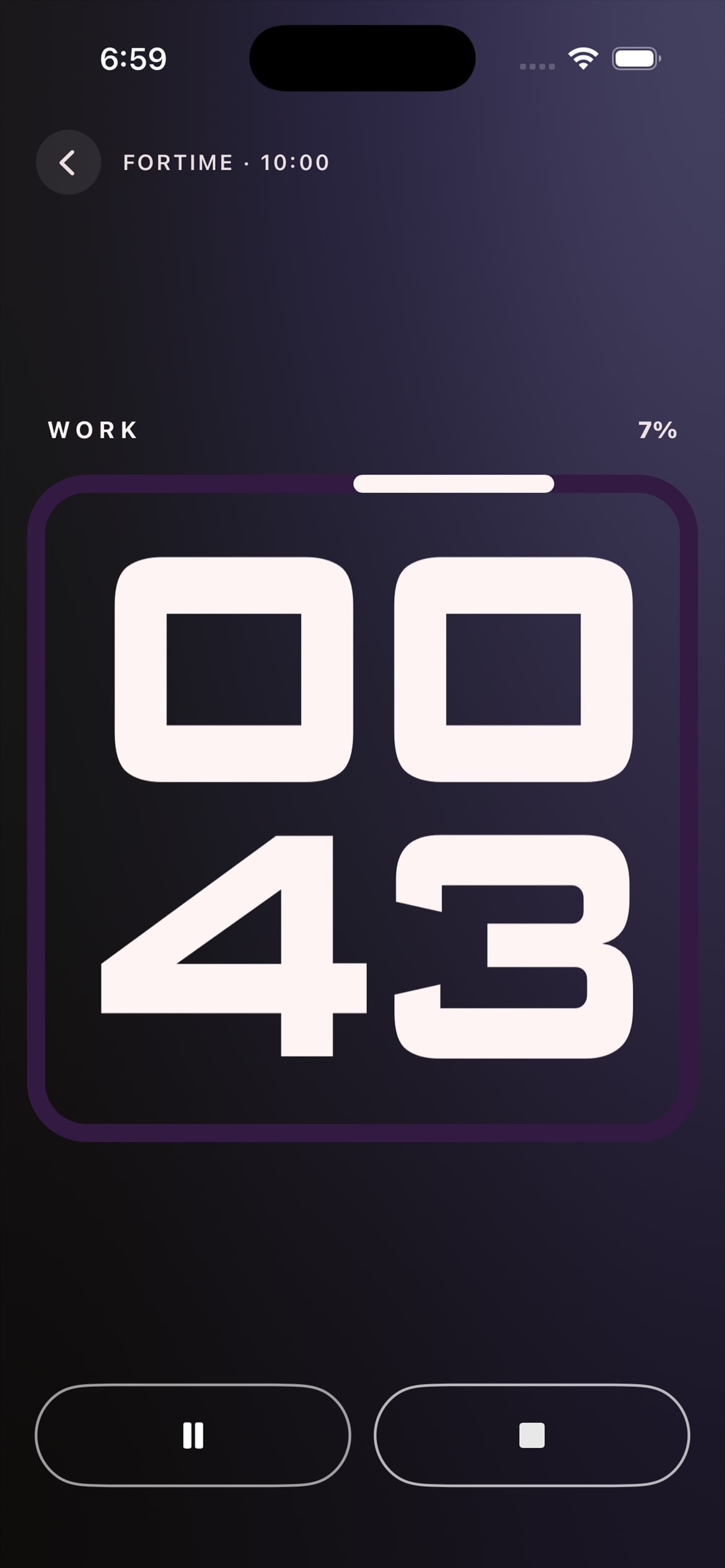
Stacked numerals you can read from across the box.
09 — Clock Faces
A calm, quietly emptying ring — nothing to pull your focus.
A vivid dot field that blooms with each round.
Stacked numerals you can read from across the box.
09 — Clock Faces
Every face floods the screen with a phase “color world” — warm on work, cool on rest — so a glance tells you exactly where you are, on iPhone and Apple Watch alike.
A calm, quietly emptying ring — nothing to pull your focus.
A vivid dot field that blooms with each round.
Stacked numerals you can read from across the box.
Every one runs the same engine underneath — switching the look never changes how the timer behaves. A new face lands every month, some free for everyone and some included with Squall Pro.
Stacked numerals, readable from across the box.
A calm, quietly emptying ring.
A nostalgic split-flap board that flips through your countdown.
A warm amber LCD with a crisp, synced colon blink.
Segmented digits with the glow of a gym scoreboard.
A hypnotic multi-colored mandala that blooms with each round.
10 — Built Like an Apple App
Cues keep firing with the screen locked or the app in the background, scheduled against the workout clock so timing never drifts.
Beeps, spoken cues, or both — rendered on-device. Countdown, halfway, work/rest, and an unmistakable GO and TIME.
A clear haptic vocabulary mirrors every audio cue, so they land even with music loud and the phone face-down on a bench.
Squall mixes with Spotify, Apple Music, or a podcast and only ducks briefly for a cue — it never seizes the audio route.
No accounts, no servers. Workouts live on your device and, if you choose, sync through your own private iCloud.
Full VoiceOver, Dynamic Type, and Reduce Motion support — plus Siri control to start, pause, or end a workout.
A standalone Watch app — start and run a full workout from your wrist, no phone in hand. (Pro)
A redesigned Live Activity keeps the timer and progress bar ticking live — rock-solid, even locked. (Pro)
The branded countdown never freezes when your phone locks — a glance shows exactly where you are. (Pro)
AirPlay any workout to a smart TV and Squall lays itself out for the room — not a stretched phone screen.
11 — Pricing
Every timer type works for free, with no nags during a workout. Pro is for the people who want the beauty, the depth, and no limits — honest pricing, no dark patterns.
$0
12 — Questions
No. Squall mixes with whatever you're playing — Spotify, Apple Music, a podcast — and only ducks the volume briefly for a cue, then hands it back. It never seizes the audio route.
Never. Pause means silence is a hard guarantee — no scheduled cue can fire while the timer is stopped. Cues are scheduled against the workout clock, so they can't drift or double up either.
No accounts, no sign-up, no servers. Your workouts live on your device and, if you turn it on, sync through your own private iCloud that only you can access.
Yes. AirPlay Squall to any compatible smart TV or Apple TV and it lays itself out for the big screen — an across-the-gym clock with the phase color world behind it, rather than your phone screen stretched to fit. It's free for everyone, and it works on a solo session, not just a class. If you're hosting a class, the live leaderboard sits alongside the clock.
Yes — that's Train Together. Start a class, read out the four-digit join code, and every athlete's phone runs off your clock, so the room counts down, rests, and hits TIME as one. Rounds and reps feed a live leaderboard you can put on the gym TV, leave on athletes' phones, or both. Hosting a class is part of Squall Pro; joining one is free.
No. Anyone can join on the free tier — all they need is the code. Pro is only for the person hosting. You can also mute athletes' sounds so yours is the only device playing cues; haptics stay on, so everyone still feels the count.
No. Snap a photo of the gym whiteboard, say the workout out loud, or type it in shorthand — Squall works out what you meant and builds the timer. The movements then sit on the running clock, so you're not squinting back at the board between rounds. That's free for everyone.
Yes. Squall is distributed only through the App Store, where every release is reviewed and code-signed by Apple. That means the version you download is verified and untampered, runs in iOS's secure sandbox, and is always the build made to be compatible with your device.
Yes. Squall is fully native and runs entirely on your iPhone — no connection required to set up or run any workout.
Yes — the standalone Apple Watch app is part of Squall Pro. Start and run a full workout from your wrist with no phone needed: pick a timer, tune it with the Digital Crown, and go, with haptic and voice cues on-wrist. It records real heart rate and calories, and everything syncs back to your iPhone history automatically.
Yes. With Squall Pro on an Apple Watch, it records measured min / avg / max heart rate and active energy to Apple Health. Without a Watch, it gives an activity-based calorie estimate — add your weight in Settings to sharpen it. Either way, every workout can be saved to Apple Health for free.
If you turn it on, yes. A quick step during onboarding (or the Apple Health page in Settings) lets Squall write each session to Health so it counts toward your daily activity. That's free on iPhone — the Apple Watch app, with real heart rate and calories, is part of Squall Pro.
That's the Progress tab. It keeps your current and best streak alongside your total workouts, a training calendar shaded by how hard you went, and your weekly volume in minutes. Repeat a workout and Squall holds on to your best result with the number of attempts beside it, so you can see the difference rather than guess at it. All free.
Not currently — Squall is a native iOS app. Android isn't on the roadmap for v1.